
Download Vectron MobileApp APK – Food Service, Hospitality, POS, Mobile App, Android, Restaurant, Café, Bar
Overview
The Vectron MobileApp APK is a dedicated mobile solution designed for food service and hospitality businesses, developed by Vectron Systems AG. Built to streamline operations in restaurants, cafés, bars, and similar venues, the app enables staff to manage customer orders, process payments, and generate sales reports directly from mobile devices. It functions as a mobile extension of the broader Vectron POS system, offering a modular, integrated approach to ordering, billing, and payment processing. The app supports multiple payment methods, including cash, credit, and debit card transactions, allowing businesses to offer flexible and secure checkout options.
Its primary purpose is to enhance service speed and accuracy by reducing reliance on paper-based or manual order entry. By providing an intuitive interface, the app supports quick menu access and real-time order updates, improving both customer satisfaction and staff efficiency. The solution is tailored for professional environments where operational continuity, transaction security, and data accuracy are critical. While the developer did not provide additional details about system requirements or deployment models, the app is confirmed to be available for Android devices.
Key Features & Capabilities
- Integrated Point of Sale (POS): Enables real-time order processing and payment handling directly from mobile devices, reducing bottlenecks in busy service environments.
- Menu Management: Allows businesses to present digital menus with quick access to items, categories, and special offers, improving order accuracy and guest experience.
- Multi-Channel Payment Support: Facilitates transactions via cash, credit, and debit card, ensuring flexibility for customers and secure handling of financial data.
- Sales Reporting & Analytics: Provides a detailed overview of sales performance, transaction history, and payment summaries to support business decision-making.
- Real-Time Order Sync: Ensures that orders placed via the app are instantly transmitted to the kitchen or bar system, minimizing delays and errors.
These features are particularly useful in high-volume settings such as fast-casual restaurants or event catering, where timely order fulfillment is essential. The app’s integration with the larger Vectron POS ecosystem ensures consistency across devices and systems, enabling centralized management of inventory, staff roles, and reporting. The developer did not specify whether the app supports offline mode or cloud backup, but its design suggests a reliance on network connectivity for real-time operations.
User Interface, Workflow & Performance
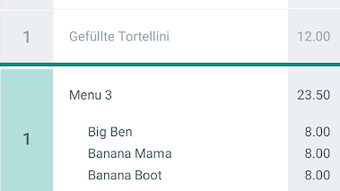
The Vectron MobileApp presents a clean, task-oriented interface optimized for touchscreen interaction on Android devices. Navigation is structured around core functions—menu access, order entry, payment processing, and reporting—allowing staff to complete tasks with minimal training. The layout prioritizes speed and clarity, with large touch targets and logical workflow progression from order placement to payment confirmation.
Workflow efficiency is enhanced through direct integration with the underlying POS system, reducing the need for manual data re-entry. Users can assign orders to specific stations (e.g., kitchen, bar) and track status in real time. While exact performance metrics such as CPU or RAM usage were not specified, the app is designed to operate smoothly on modern Android devices. The developer did not provide information on stability under high load or battery consumption patterns. General software behavior suggests that performance will depend on device hardware and network conditions.
Compatibility & System Requirements
The Vectron MobileApp is available as an APK file for Android devices. The app is developed and distributed by Vectron Systems AG, indicating a focus on enterprise-level deployment within the hospitality sector. The release version and installation size were not specified in the provided information. The developer did not list specific hardware or OS version requirements, though compatibility with standard Android smartphones and tablets is implied.
Platform compatibility information is limited, and the developer did not confirm support for iOS or other mobile platforms. Installation via APK suggests the app may be intended for custom or enterprise distribution rather than public app stores. The developer did not provide details about required Android SDK version, screen resolution support, or background process behavior. Exact system requirements were not listed.
Pros and Cons
Pros
- Designed specifically for food service and hospitality environments
- Integrated point of sale with multiple payment options
- Real-time order synchronization with backend systems
- Supports digital menu presentation and quick access
- Provides sales reporting and transaction tracking
Cons
- Only available for Android via APK (no official app store release)
- No information on offline functionality or data backup
- Missing details on system requirements and performance
- Not available for iOS or other platforms
- Limited public documentation on deployment and setup
FAQ Section
Is the Vectron MobileApp available for iOS devices?
The app is currently distributed as an APK file for Android. The developer did not provide information on iOS compatibility or availability through the Apple App Store.
Can I use the app without an internet connection?
While the app is designed for real-time operations, the developer did not specify whether offline mode or local data storage is supported. It is likely that full functionality requires network connectivity.
Is the app secure for handling payments?
The app integrates with the Vectron POS system, which is described as a secure, automated solution. However, specific security protocols or compliance certifications were not disclosed.
How often are updates released?
Information on update frequency was not provided. Users should check the developer’s official site or distribution channel for the latest version.
What type of license does the app require?
The app is offered as a free tool by Vectron Systems AG. The developer did not specify whether it is fully free or requires a subscription or enterprise license for full access.
Final Thoughts
The Vectron MobileApp APK offers a targeted, professional solution for hospitality businesses seeking to digitize their ordering and payment processes. Its integration with the Vectron POS system ensures a cohesive workflow across devices, while its support for multiple payment methods enhances customer convenience. The app’s clean interface and real-time capabilities make it suitable for fast-paced environments where speed and accuracy are critical.
However, the lack of public documentation, limited platform availability, and absence of detailed system specifications may pose challenges for some users. The reliance on APK distribution suggests it may be intended for internal or enterprise use rather than general public download. Despite these constraints, the app demonstrates a clear focus on operational efficiency in food service settings.
For restaurants, cafés, and bars looking to modernize their service with a mobile POS solution, the Vectron MobileApp presents a viable option—especially for businesses already using the Vectron ecosystem. Download Vectron MobileApp APK now and experience streamlined operations in your hospitality venue.







